
Update v0.20 ·
A main menu
A main menu to start from, a reroll for card rewards, clearer piles in duels, and a long list of fixes.
New
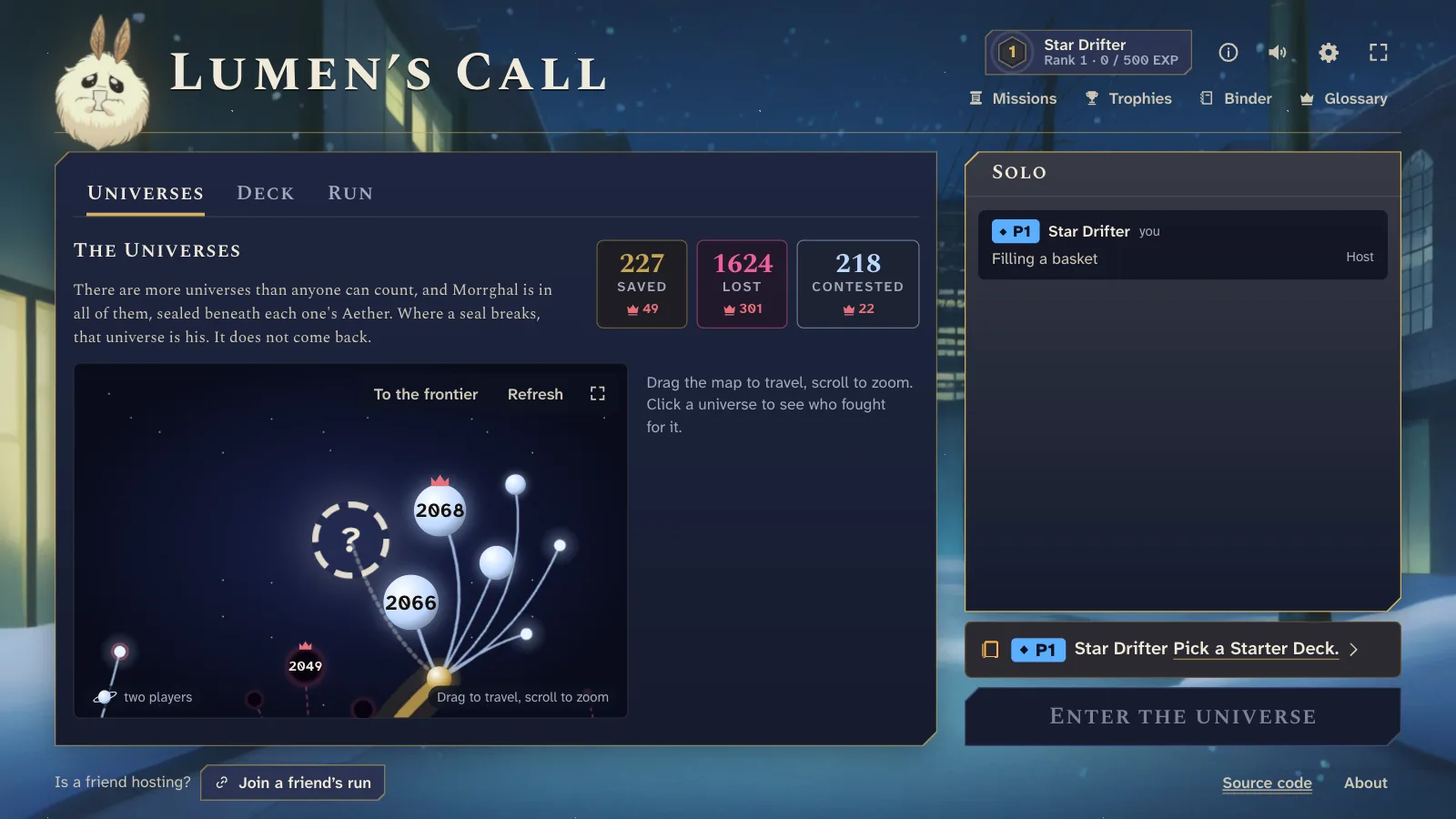
A main menu
The game now opens on a main menu, with the universe map beside it. Pick how you want to play there; your deck and the run's settings are one step further, in the run setup.

Reroll a card reward
Card rewards can now be rerolled: once per stage, each player can swap a card offer for a new one. The old offer is gone, and a reroll you do not use does not carry over.
Records in your Duelist profile
Your Duelist profile has a new Records tab: your numbers so far, counted for Normal, Hard and in total.
Run history by core
Run history can be filtered by core and shows a win rate for each core.
Right click to read a card
Outside duels, a right or middle click on a card opens its full text in a window you can scroll.
Mute one card
On Auto, each card in a chain question now has its own Mute: the game stops asking about that card for the rest of the turn.
Actions inside the Deck
When a card inside your Deck has an action, the Deck pile lights up; click it to see those actions.
Upgrade names explained
Upgrade names in the deck view say what they do when you hover them.
Look up a relic before you choose
A relic named in a special encounter's choice can be looked up before you choose.
Starter Deck cards in the Shop
Starter Deck cards can be bought as single cards in the Shop.
Changes
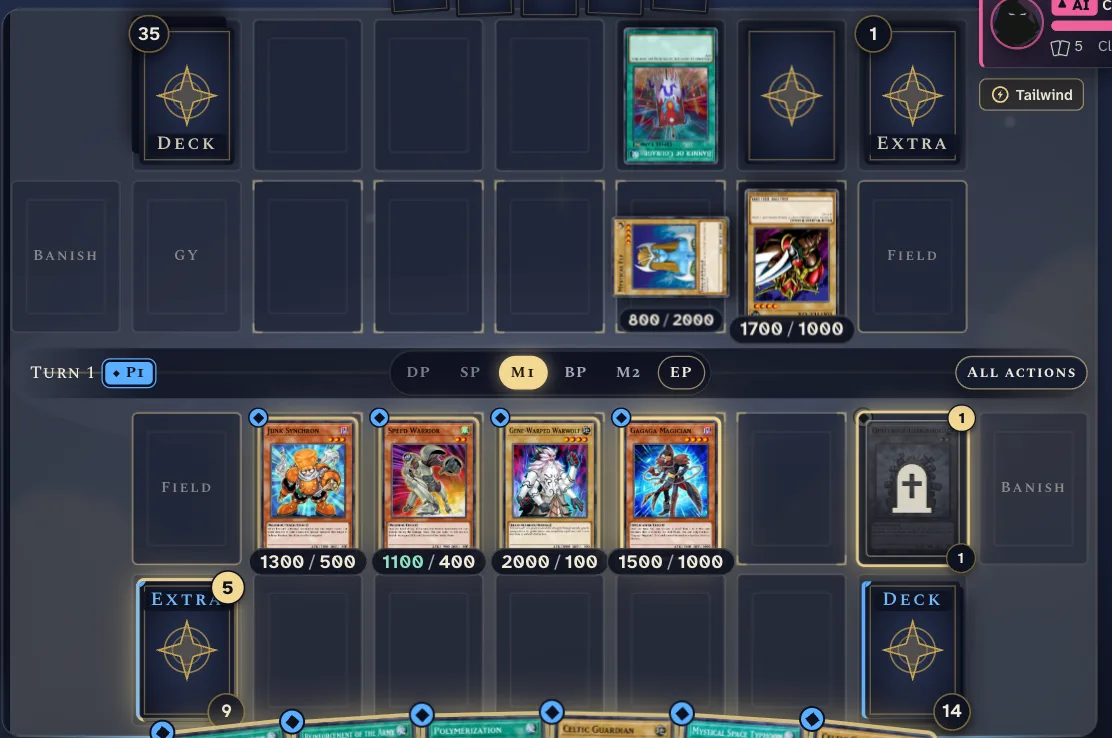
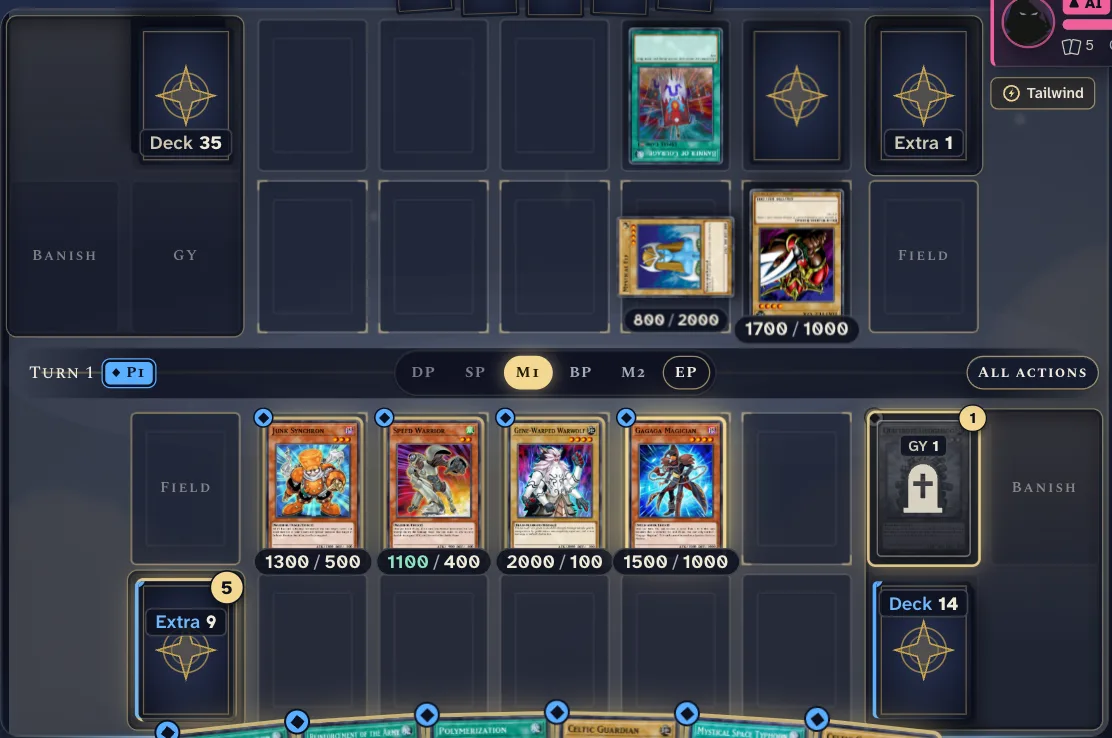
Piles apart from the zones
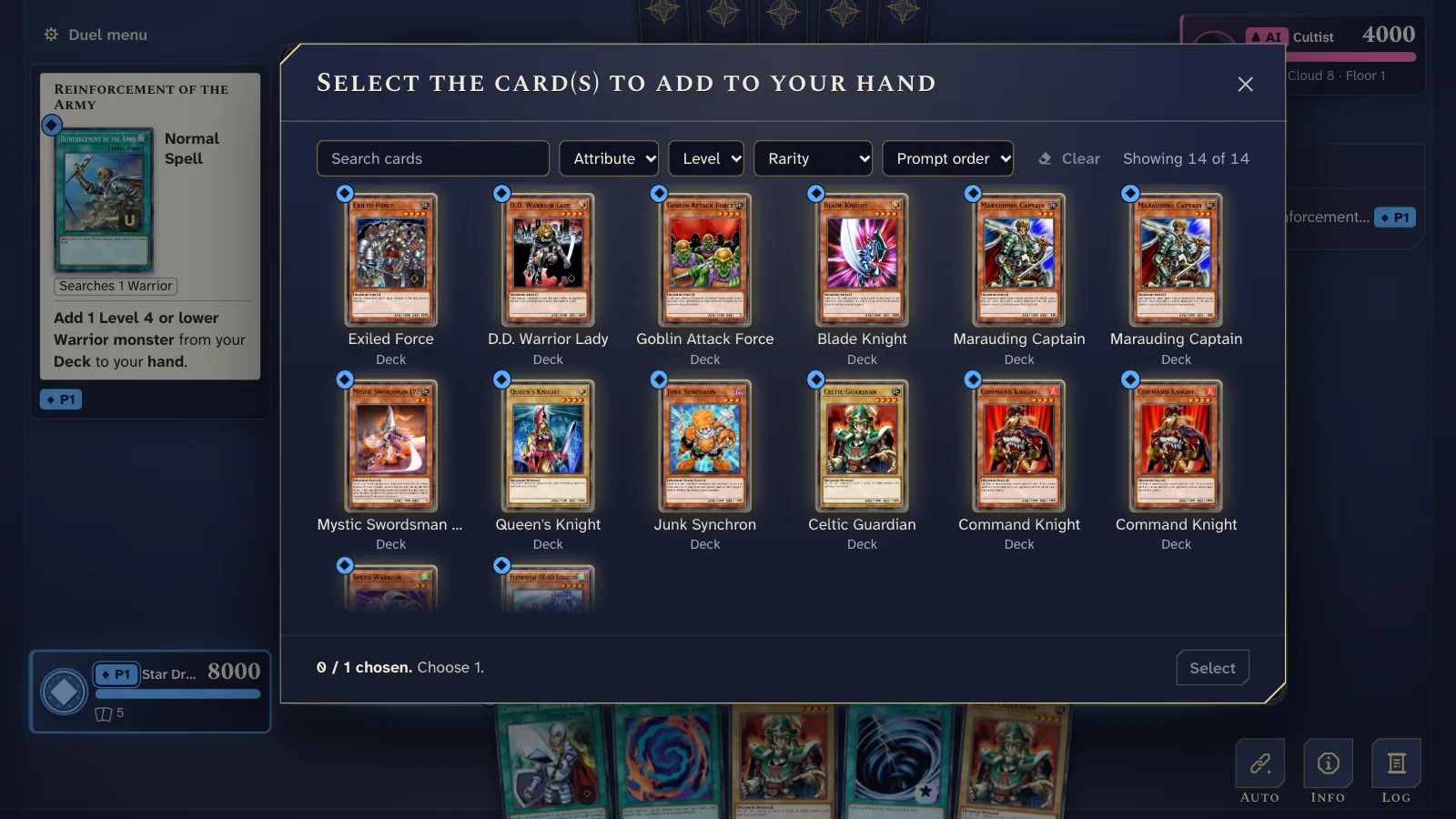
The Deck, Extra Deck, Graveyard and banished piles now stand apart from the zones in frames of their own, and their card count sits in their name.
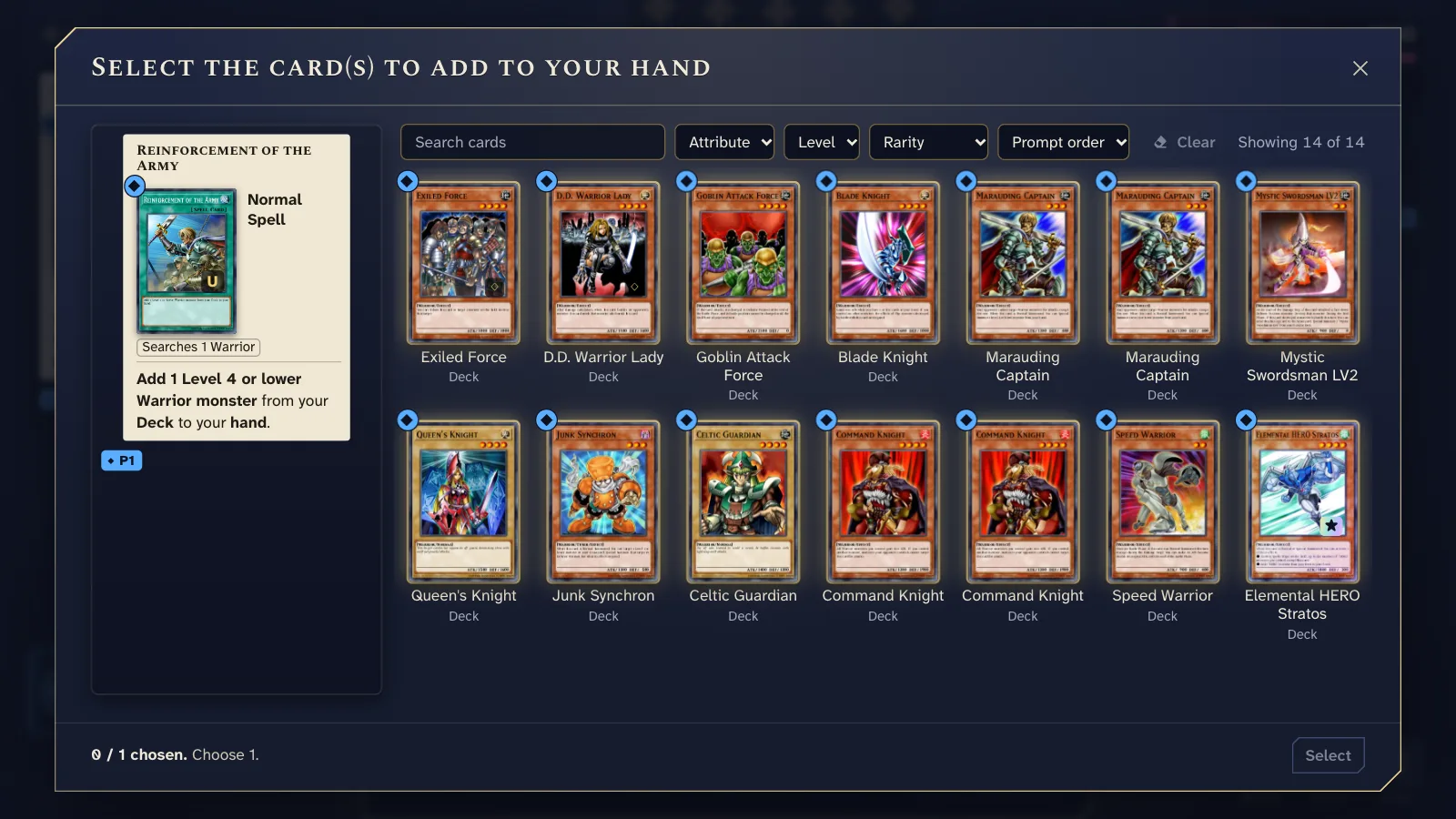
A mid-size grid for Deck picks
Picking a card from the Deck: Expand opens a mid-size grid with the board still visible.
The Fusion Table reworked
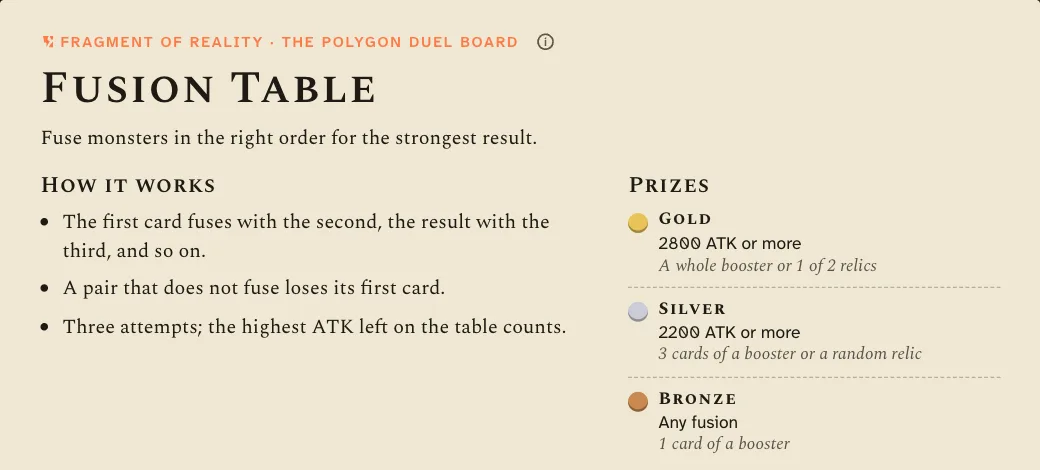
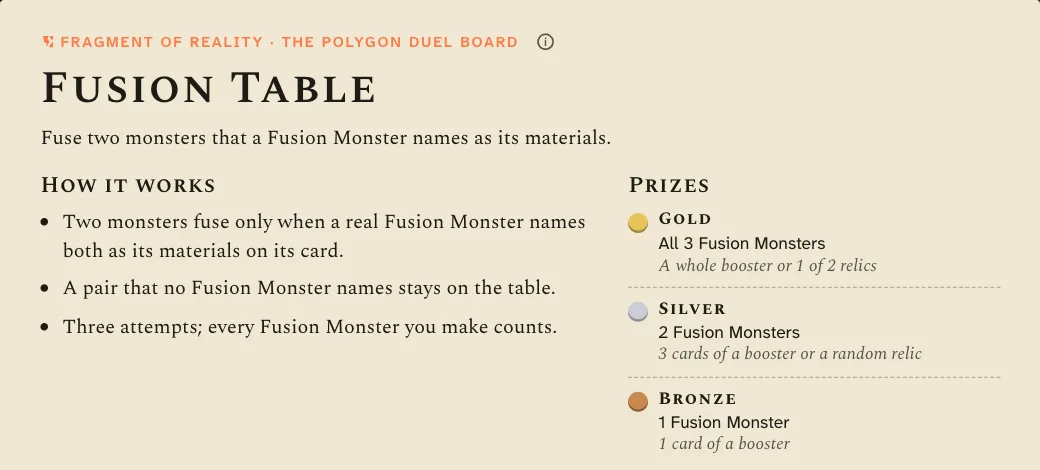
The Fusion Table was reworked: it now only asks for Fusions whose materials are named on a real Fusion Monster.
Motion starts at Full
Motion now starts at Full. If yours was set to Match my device, it is now Full; you can change it back in Settings → Accessibility.
Change it back
- Open Settings in the main menu.
- Pick the Accessibility tab.
- Under Motion, pick Match my device or Reduced.

Getting this update
This update reaches the desktop app by itself the next time you start the game. The Rust rewrite switches on with a later version of the app; until then, nothing changes for you.
Get the update
- Close the game and start it again: it updates by itself.
- If the game is open, you can also press Update when it shows up.
- New to the game? Download it for Windows or Mac from the game's itch.io page.
Your saves and settings stay.
Continue starts your run
Continue on a solo save now starts the run straight away. A co-op save waits for your teammate first and shows the run as it was saved.
Decks by their cover card
Every deck is now shown by its cover card.
The Summon bar on the centre line
Choosing materials on the field: the Summon bar sits on the centre line, where targets and Tributes already ask.
Material groups by place
The material window now gives every place its own group, such as Deck, Banished or Extra Deck, instead of "Other".
Card zoom closes at once
A card's zoom now closes as soon as you move off the card.
Destruction sound everywhere
Cards destroyed in the hand or the Deck now play the destruction sound too.
Guess the Card removed
The Guess the Card mini-game was removed.
More time in a mini-game
One mini-game gives more time.
Synchros bring their Tuner
Every Synchro Monster that needs a named Tuner now brings that Tuner when you get it.
The Binder slot fits your deck
The Binder slot leans towards cards your current deck can use. It is still random.
The Password Machine
The Password Machine accepts alternate-artwork codes, and tells you why a code gave no card.
Enemies spare their own cards
Enemies no longer negate their own cards.
A Boss's attack lock
A Boss's attack lock now stops the monster that attacks, never one that already attacked.
Card pools adjusted
Some card pools were adjusted.
Enemy planning rewritten in Rust
The part of the game that plans the enemy's moves was rewritten in Rust to run more efficiently. This prepares the game for weaker devices, like phones.
Fixes
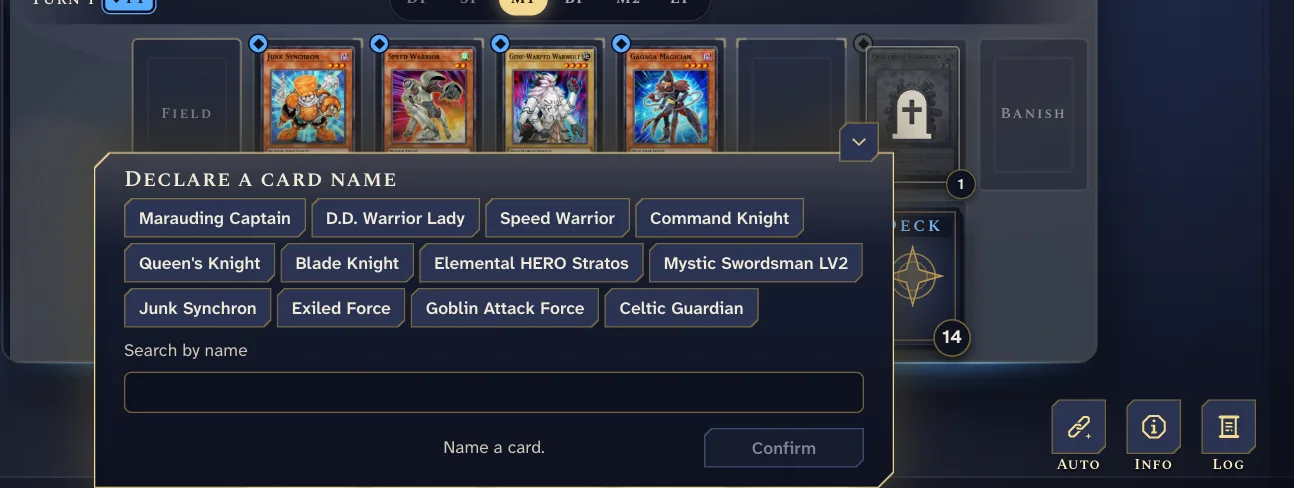
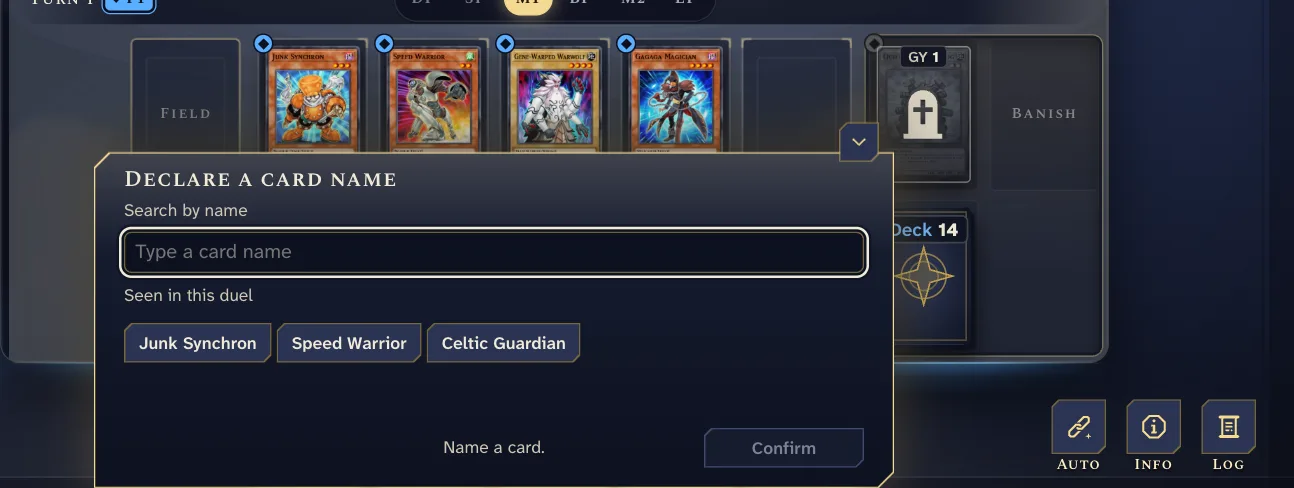
Declaring a card name
Declaring a card name: the search box and Confirm always stay on screen.
Counterfeits are not material
Counterfeit cards can no longer be used as material for any summon, or be Tributed. You can still discard them.
Auto asks again
On Auto, the game now asks again when an effect you just used can be used again, and stops at the start and end of the enemy's Battle Phase when you have a card made for those moments.
The right card in questions
A Yes / No question asked while a chain resolves now shows the card whose effect is resolving.
Graveyard conditions checked first
A card whose effect needs certain monsters in your Graveyard no longer activates without them.
Duel rule LP costs
A duel rule with an LP cost now shows what you really pay, and the duel log says how much each payment took.
Duels that hung at the start
A duel no longer hangs at the start when its engine does not come up.
The duel log opens at the end
The duel log opens at the latest action.
Folded questions clear of your hand
A folded question no longer lies across the cards in your hand.
Special Summons named right
A Special Summon by an effect is no longer shown as an Xyz Summon.
Trophies show your own cards
A trophy no longer shows an enemy's card.
The Binder message
The Binder message at the end of a run names only the upgrade that was saved.
A quiz answer corrected
A quiz answer about chains was corrected.
The Pack Vendor's greeting
The Pack Vendor no longer talks about single cards.